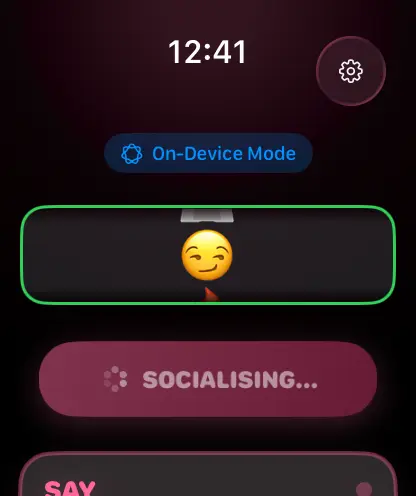

I immediately saw an opportunity to build something fun, when Apple announced Foundation Models at WWDC 2025. Social Lifeboat is a watchOS (and iOS too, of course) app that generates conversation scripts on demand, and getting it to work with Apple’s on-device models turned out to be both straightforward and surprisingly elegant.
The challenge with watchOS is that whilst your iPhone can run Foundation Models locally, your watch cannot. This means you need to set up proper communication between the two devices, handle model availability gracefully, and provide guardrails that prevent the AI from generating anything out of bounds for a social conversation app.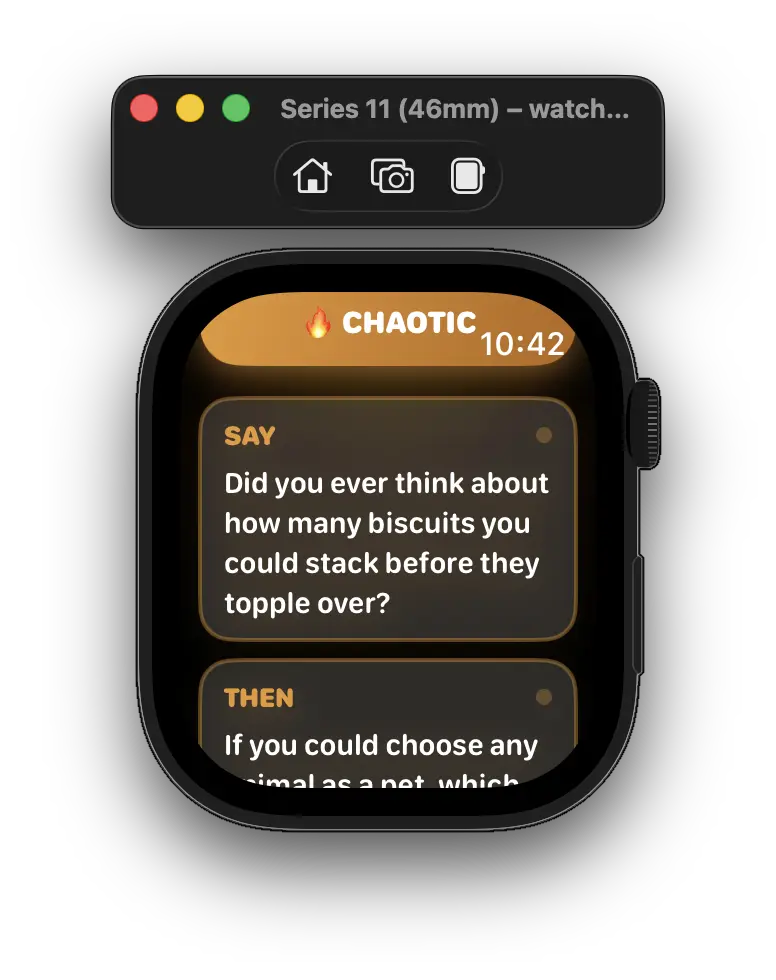
Getting the Foundation Model Session Running
The Foundation Models API is refreshingly simple. You grab the system’s default language model, check if it’s actually available, and then create a session with instructions and a prompt. Here’s how that looks in practice:
import FoundationModels

final class FoundationModelProvider: ScriptProviding {
    func generate(for mood: Mood) async -> Result<ScriptResponse?, Error> {
        let model = SystemLanguageModel.default

        guard model.availability == .available else {
            return await fallbackGenerate(for: mood)
        }

        do {
            let instructions = buildInstructions(for: mood)
            let session = LanguageModelSession(instructions: instructions)
            let prompt = buildPrompt(for: mood)

            let response = try await session.respond(to: prompt, generating: GeneratedScript.self)
            return .success(response.content)
        } catch {
            return await fallbackGenerate(for: mood)
        }
    }
}
The availability check at FoundationModelProvider.swift:7 is crucial because Foundation Models might not be available on older devices or in certain regions or if the user does not have Apple Intelligence enabled. Rather than crashing or showing an error to the user, I fall back to either a cloud API or pre-generated scripts. This graceful degradation means the app remains useful even when the fancy AI bits aren’t working.
Guardrails
I needed to prevent the model from generating anything off topic, overly long, or containing real names (which would be akward if your script says “Hey Jen!” when you talk to Sally). Apple’s @Generable macro with @Guide annotations makes this almost trivial (more on these here):
@Generable
struct GeneratedScript {
    @Guide(description: "First conversation line. Maximum 120 characters. No emojis. No em dashes. Never use real names, use _____ as placeholder.")
    var opener: String

    @Guide(description: "Second conversation line. Maximum 120 characters. No emojis. No em dashes. Never use real names, use _____ as placeholder.")
    var followUp: String

    @Guide(description: "Third conversation line. Maximum 120 characters. No emojis. No em dashes. Never use real names, use _____ as placeholder.")
    var exit: String
}
Consider watching this video from WWDC to learn more.
Each field gets its own guidance, and the model respects these constraints remarkably well. The 120-character limit ensures the text fits on a watch screen, whilst the placeholder requirement means users fill in contextual details themselves rather than having the AI invent potentially embarrassing specifics.
System instructions provide broader guardrails:
private func buildInstructions(for mood: Mood) -> String {
    let base = """
    You generate short, witty conversation scripts for socially awkward people. \
    Each line must be under 120 characters. No emojis. No URLs. No em dashes. \
    NEVER invent or use real names. Where a name or topic is needed use the literal \
    placeholder _____ (five underscores). Keep it clean, safe, and suitable for all \
    audiences. Use natural, casual British English spelling where appropriate.
    """

    let moodGuidance: String
    switch mood {
    case .friendly:
        moodGuidance = "Tone: warm, approachable, genuinely kind."
    case .flirty:
        moodGuidance = "Tone: playful, charming, light. Flirty but never creepy or sexual."
    case .escape:
        moodGuidance = "Tone: polite, graceful, diplomatic."
    // ... other moods
    }

    return "\(base)\n\(moodGuidance)"
}
The mood-specific guidance at FoundationModelProvider.swift:45 ensures that when someone selects “flirty”, they get something playful rather than inappropriate. This layered approach to guardrails (structured output constraints plus system instructions) has proven remarkably effective.
Making the Watch Talk to the Phone
This is where things get interesting. Your watch needs to ask your phone to run the Foundation Model, wait for the result, and handle all the ways this might go wrong (phone out of range, model unavailable, generation fails).
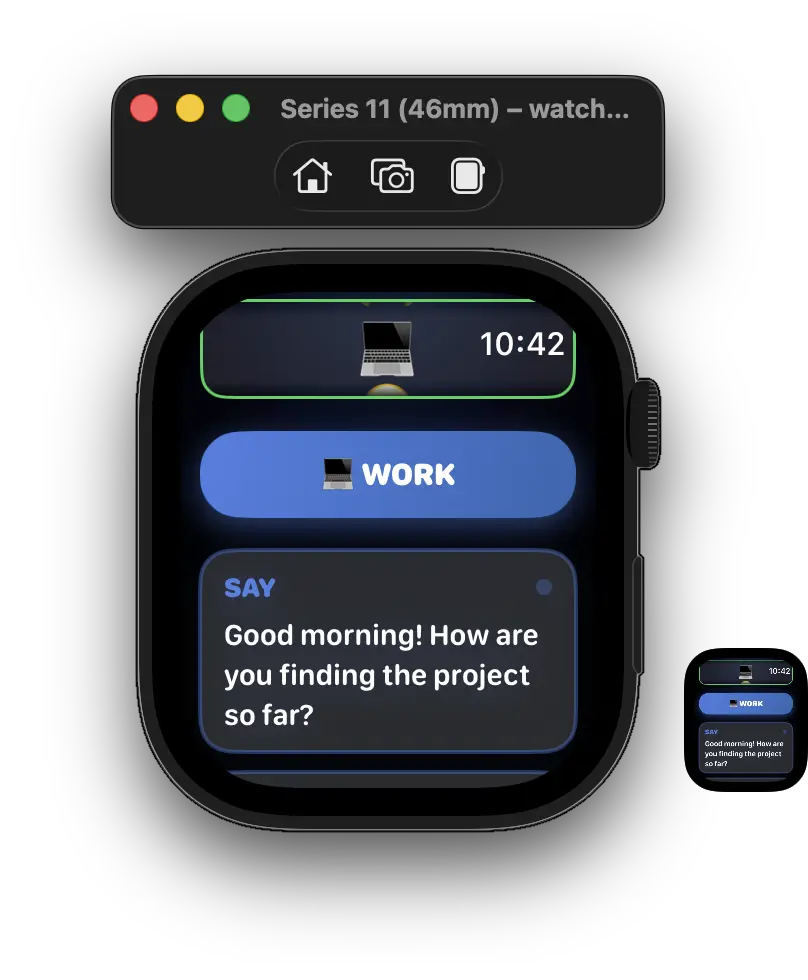
The watch side uses WatchConnectivity to send a message:
final class WatchConnectivityProvider: ScriptProviding {
    func generate(for mood: Mood) async -> Result<ScriptResponse?, Error> {
        guard WCSession.default.isReachable else {
            return .failure(WatchConnectivityError.phoneUnreachable)
        }

        let message: [String: Any] = [
            "action": "generateScript",
            "mood": mood.rawValue
        ]

        do {
            let reply = try await withCheckedThrowingContinuation { continuation in
                WCSession.default.sendMessage(message, replyHandler: { reply in
                    continuation.resume(returning: reply)
                }, errorHandler: { error in
                    continuation.resume(throwing: error)
                })
            }

            guard let status = reply["status"] as? String, status == "ok",
                  let scriptData = reply["script"] as? [String: Any] else {
                return .failure(WatchConnectivityError.generationFailed("iPhone error"))
            }

            let jsonData = try JSONSerialization.data(withJSONObject: scriptData)
            let script = try JSONDecoder().decode(ScriptResponse.self, from: jsonData)
            return .success(script)
        } catch {
            return .failure(WatchConnectivityError.communicationError(error))
        }
    }
}
The iPhone receives this message and handles it with WatchSessionManager:
final class WatchSessionManager: NSObject, WCSessionDelegate {
    private let provider = FoundationModelProvider()

    func session(_ session: WCSession,
                 didReceiveMessage message: [String: Any],
                 replyHandler: @escaping ([String: Any]) -> Void) {
        guard let action = message["action"] as? String,
              action == "generateScript",
              let moodRaw = message["mood"] as? String,
              let mood = Mood(rawValue: moodRaw) else {
            replyHandler(["status": "error", "error": "Invalid request"])
            return
        }

        Task {
            let result = await provider.generate(for: mood)

            switch result {
            case .success(let script):
                guard let script else {
                    replyHandler(["status": "error", "error": "No script generated"])
                    return
                }
                do {
                    let data = try JSONEncoder().encode(script)
                    let dict = try JSONSerialization.jsonObject(with: data) as? [String: Any] ?? [:]
                    replyHandler(["status": "ok", "script": dict])
                } catch {
                    replyHandler(["status": "error", "error": "Encoding failed"])
                }
            case .failure(let error):
                replyHandler(["status": "error", "error": error.localizedDescription])
            }
        }
    }
}
The pattern at WatchSessionManager.swift:11 of using a Task inside the delegate method is essential because FoundationModelProvider.generate is async, but WCSessionDelegate methods are synchronous. The reply handler captures the result and sends it back to the watch as a dictionary.
One obvious improvement here would be to stop passing loose dictionaries around and introduce proper Codable structs for the messages going between the iPhone and the Watch.
The current approach works, but [String: Any] is very easy to mistype, hard to validate, and not especially pleasant to maintain once the payload grows. A small request type, response type, and script payload model would make this much clearer. It would also move the encoding and decoding logic into one predictable place, rather than scattering string keys like “action”, “mood”, “status” and “script” through the session handler.
A Performance Mistake I Made
After attending an in-person event at Apple’s Battersea in London, I learned something important about Foundation Model sessions: you should initialise them once and keep them around, not create new ones for every request.
Looking back at my implementation at FoundationModelProvider.swift:35, I’m doing exactly the wrong thing:
func generate(for mood: Mood) async -> Result<ScriptResponse?, Error> {
    let model = SystemLanguageModel.default

    guard model.availability == .available else {
        return await fallbackGenerate(for: mood)
    }

    do {
        let instructions = buildInstructions(for: mood)
        let session = LanguageModelSession(instructions: instructions)  // New session every time!
        let prompt = buildPrompt(for: mood)

        let response = try await session.respond(to: prompt, generating: GeneratedScript.self)
        // ...
    }
}
Creating a new LanguageModelSession for every generation request is inefficient. The session carries overhead for initialisation, and the model needs to process the instructions afresh each time. A better approach would be to maintain sessions and reuse them.
The complication here is that my instructions vary by mood. Each mood (friendly, flirty, work, chaotic, escape, phone) gets different tone guidance in the system instructions. This means I can’t just create one session and use it for everything.
The proper fix would be to maintain a dictionary of sessions keyed by mood:
final class FoundationModelProvider: ScriptProviding {
    private var sessions: [Mood: LanguageModelSession] = [:]

    private func getSession(for mood: Mood) -> LanguageModelSession {
        if let existing = sessions[mood] {
            return existing
        }

        let instructions = buildInstructions(for: mood)
        let session = LanguageModelSession(instructions: instructions)
        sessions[mood] = session
        return session
    }

    func generate(for mood: Mood) async -> Result<ScriptResponse?, Error> {
        let model = SystemLanguageModel.default

        guard model.availability == .available else {
            return await fallbackGenerate(for: mood)
        }

        do {
            let session = getSession(for: mood)
            let prompt = buildPrompt(for: mood)
            let response = try await session.respond(to: prompt, generating: GeneratedScript.self)
            // ...
        }
    }
}
Alternatively, you could use a single session with generic instructions and move the mood-specific guidance into the prompts instead. This would mean one session to manage, but potentially less effective guardrails since the mood guidance wouldn’t be part of the system instructions.
I haven’t implemented this fix yet (the app works fine as-is for my usage patterns), but it’s something to consider if you’re building a high-volume application where generation efficiency matters. Session reuse is important for performance, particularly if you’re generating multiple responses in quick succession.
What I Learned About On-Device AI
Working with Foundation Models taught me that the API design really matters. Apple made some smart decisions here. The @Generable macro gives you type-safe, structured output without needing to parse JSON from the model’s response. The availability check prevents you from even trying to use models that won’t work. The async/await integration means you can treat model generation like any other async operation.
If you’re building something similar, pay attention to your guardrails early. The combination of structured output and system instructions gives you two complementary layers of control, and you’ll want both.